Omada Access Points_User Guide
EAP725-Wall V1 Datasheet
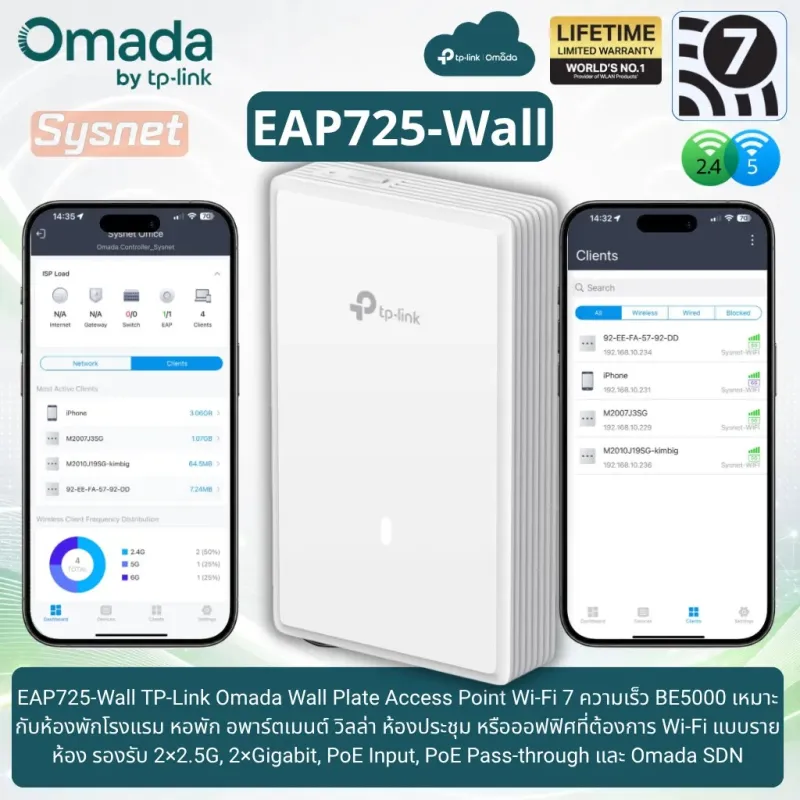
EAP725-Wall TP-Link Omada Wi-Fi 7 Wall Plate Access Point สำหรับโรงแรม หอพัก และออฟฟิศ
EAP725-Wall เป็น TP-Link Omada Wi-Fi 7 Wall Plate Access Point รุ่น BE5000 Wall Plate Wi-Fi 7 Access Point ออกแบบมาสำหรับงาน Wi-Fi แบบรายห้อง เช่น ห้องพักโรงแรม หอพัก อพาร์ตเมนต์ วิลล่า ออฟฟิศ ห้องประชุม หรือพื้นที่ที่ต้องการติดตั้ง Access Point แทนหน้ากาก LAN เดิม โดยรองรับความเร็วสูงสุด 4324 Mbps บนย่าน 5GHz และ 688 Mbps บนย่าน 2.4GHz ตามข้อมูลจาก Official Website
จุดเด่นของ EAP725-Wall TP-Link Omada Access Point
EAP725-Wall รองรับมาตรฐาน Wi-Fi 7 หรือ IEEE 802.11be พร้อมฟีเจอร์ 4K-QAM, Multi-RUs, OFDMA, Beamforming, Band Steering, Load Balance และ Airtime Fairness ช่วยให้ Wi-Fi ภายในห้องรองรับการใช้งานหลายอุปกรณ์พร้อมกันได้ดีขึ้น เหมาะกับผู้ใช้งานที่มีมือถือ โน้ตบุ๊ก แท็บเล็ต Smart TV หรืออุปกรณ์ไร้สายใช้งานร่วมกันในพื้นที่เดียว
EAP725-Wall เป็น Wi-Fi 7 แบบ Dual-Band สำหรับงานรายห้อง
รุ่นนี้รองรับ 2 ย่านความถี่ คือ 5GHz และ 2.4GHz เหมาะกับงานที่ต้องการอัปเกรด Wi-Fi ภายในห้องจาก Wi-Fi 5 หรือ Wi-Fi 6 ไปเป็น Wi-Fi 7 โดยยังใช้งานกับอุปกรณ์ทั่วไปในระบบเดิมได้ จุดที่ควรระวังคือรุ่นนี้ไม่มี 6GHz จึงเหมาะกับงาน Wi-Fi 7 แบบ Dual-Band มากกว่ารุ่น Tri-Band
EAP725-Wall เหมาะกับโรงแรม หอพัก และออฟฟิศ
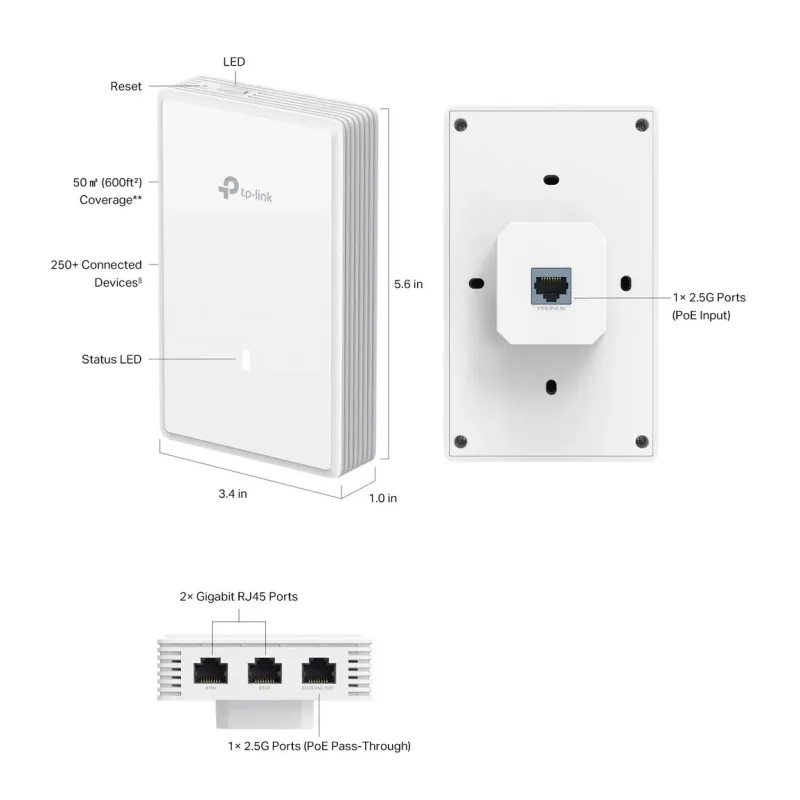
หน้า Official ระบุการใช้งานในกลุ่ม Hospitality, Office, Meeting Room, Apartment, Villa และ Dormitory ตัวเครื่องเป็น Wall Plate ขนาด 143 × 86 × 40 mm รองรับ Wall Mounting พร้อมชุดยึดในกล่อง เหมาะกับงานติดตั้งที่ต้องการให้แต่ละห้องมี Wi-Fi และพอร์ต LAN ใช้งานในจุดเดียว
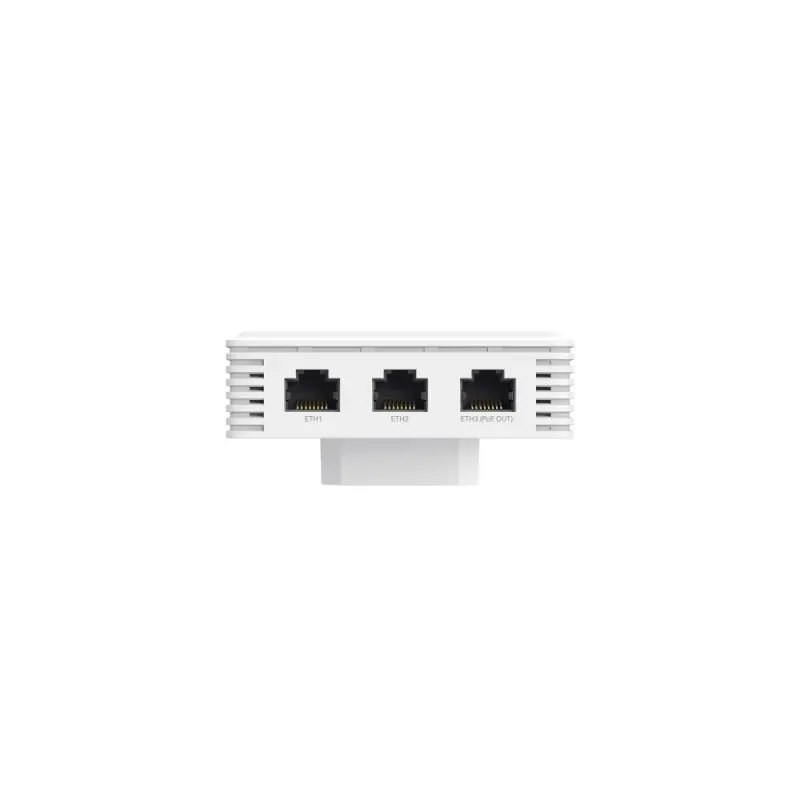
EAP725-Wall มาพร้อม 2×2.5G และ 2×Gigabit Port
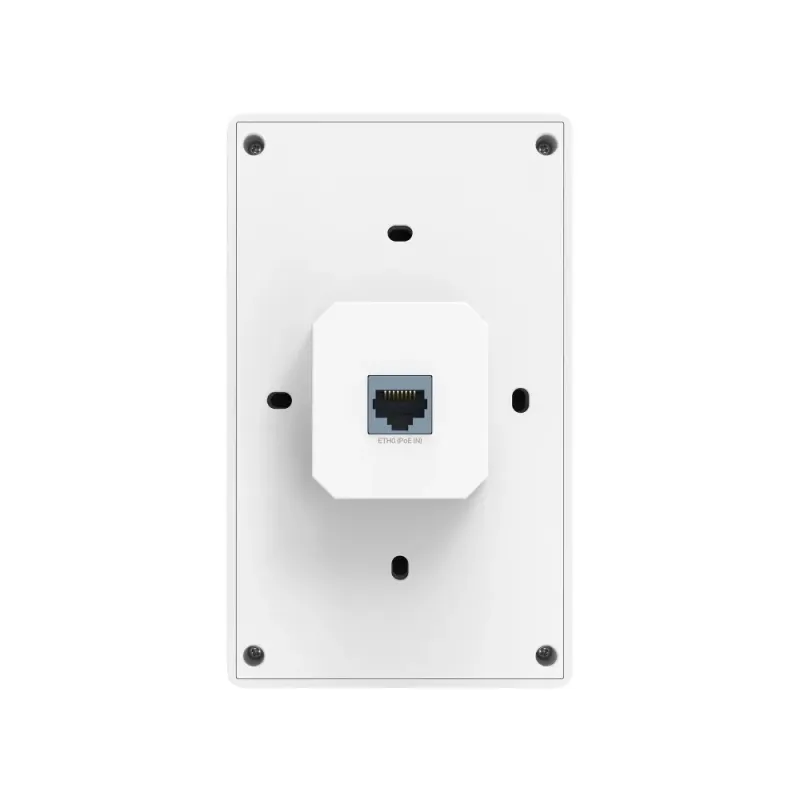
EAP725-Wall มีพอร์ต Uplink 1× 2.5G Ethernet Port สำหรับรับสัญญาณและไฟเข้าแบบ PoE, พอร์ต Downlink 1× 2.5G Ethernet Port ที่รองรับ PoE Pass-through และพอร์ต Downlink 2× Gigabit Ethernet Ports สำหรับต่ออุปกรณ์แบบสาย เช่น IP Phone, Printer, IP TV หรือ PC
EAP725-Wall รองรับ PoE Input และ PoE Pass-through
EAP725-Wall รับไฟผ่าน 802.3at/bt PoE โดยฟีเจอร์ PoE Pass-through ต้องใช้ไฟเข้าผ่าน 802.3at/bt PoE ตามเงื่อนไขของผู้ผลิต หากอุปกรณ์ปลายทางใช้ไฟเกิน 7W ตัว AP ต้องรับไฟเข้าแบบ 802.3bt PoE เพื่อรองรับการจ่ายไฟออกได้มากขึ้น
EAP725-Wall รองรับ 240MHz Bandwidth บนย่าน 5GHz
EAP725-Wall รองรับ 240MHz และ 160MHz Bandwidth บนย่าน 5GHz ตามเงื่อนไขด้านประเทศและอุปกรณ์ลูกข่าย ช่วยเพิ่มความเร็วสูงสุดต่ออุปกรณ์ที่รองรับ เหมาะกับงาน Video Conference, Streaming, Cloud Application หรือการใช้งานไฟล์ผ่านระบบเครือข่ายภายในห้อง
การจัดการ EAP725-Wall ผ่าน TP-Link Omada SDN
EAP725-Wall รองรับ Omada App, Omada Hardware Controller OC200 / OC300, Omada Software Controller และ Omada Cloud-Based Controller พร้อม Cloud Access, L3 Management, Multi-site Management, Management VLAN, SNMP, SSH และ Web-based Management เหมาะกับระบบที่ต้องการบริหาร Access Point หลายตัวจากศูนย์กลาง
ฟีเจอร์ Wi-Fi สำหรับระบบธุรกิจของ EAP725-Wall
EAP725-Wall รองรับ Multiple SSIDs สูงสุด 16 SSIDs แบ่งเป็น 8 SSIDs ต่อความถี่, Captive Portal Authentication, Access Control, MAC Filter, Wireless Isolation Between Clients, VLAN, Rogue AP Detection, RADIUS Accounting, MAC Authentication และการเข้ารหัส WPA-Personal/Enterprise, WPA2-Personal/Enterprise และ WPA3-Personal/Enterprise
ฟีเจอร์ Omada Mesh, Seamless Roaming, Captive Portal และ Cloud Access ต้องใช้งานร่วมกับ Omada SDN Controller ตามเงื่อนไขที่ผู้ผลิตระบุ ส่วน Wi-Fi 7, 240MHz Bandwidth, 4K-QAM, Multi-RUs, OFDMA และ MU-MIMO ต้องใช้อุปกรณ์ลูกข่ายที่รองรับฟีเจอร์เหล่านี้ด้วย
| Product Information |
| Model | EAP725-Wall |
| Product Type | TP-Link Omada Wi-Fi 7 Wall Plate Access Point |
| Official Product Name | BE5000 Wall Plate Wi-Fi 7 Access Point |
| Recommended Use | เหมาะสำหรับห้องพักโรงแรม หอพัก อพาร์ตเมนต์ วิลล่า ออฟฟิศ ห้องประชุม หรือพื้นที่ที่ต้องการ Wi-Fi แบบรายห้องพร้อมพอร์ต LAN ความเร็วสูงในตัว |
| Wi-Fi Radio |
| Wi-Fi Standard | IEEE 802.11 a/b/g/n/ac/ax/be |
| Wireless Band | 2.4GHz และ 5GHz |
| Wireless Speed | 5GHz สูงสุด 4324 Mbps, 2.4GHz สูงสุด 688 Mbps |
| Total Wireless Speed | รวมสูงสุดประมาณ 5.0 Gbps |
| Wireless Class | BE5000 |
| Channel Width | 240MHz และ 160MHz บนย่าน 5GHz ตามเงื่อนไขด้านประเทศและอุปกรณ์ลูกข่าย |
| Antenna | 4× Internal Antennas, 2.4GHz: 2× 4 dBi, 5GHz: 2× 5 dBi |
| Bluetooth | Bluetooth V5.2 |
| Coverage | 50㎡ หรือ 600 ft² ตามข้อมูลจากห้องทดสอบของผู้ผลิต |
| Concurrent Clients | 250+ ตามข้อมูล Official |
| Port Specifications |
| Uplink Port | 1× 2.5G Ethernet Port รองรับ PoE Input |
| Downlink Port | 1× 2.5G Ethernet Port + 2× Gigabit Ethernet Ports |
| PoE Pass-through Port | 1× 2.5G Downlink Port รองรับ PoE Pass-through |
| Physical Security Lock | No |
| Button | Reset, LED |
| PoE / Power Supply |
| Power Supply | 802.3at/bt PoE |
| PoE Pass-through | รองรับ PoE Passthrough, Pins 1,2- และ 3,6+ |
| PoE Pass-through Requirement | ต้องรับไฟเข้าผ่าน 802.3at/bt PoE หากอุปกรณ์ปลายทางใช้ไฟเกิน 7W ต้องใช้ 802.3bt Input |
| PoE Out Capacity | 802.3bt Input รองรับ PoE Out 15.4W, 802.3at Input รองรับ PoE Out 7W |
| Max Power Consumption | 17W ผ่าน 802.3bt หรือ 802.3at ตามข้อมูล Official |
| Wireless Features |
| Wi-Fi 7 Features | 4K-QAM, Multi-RUs, OFDMA, MU-MIMO ตามเงื่อนไขอุปกรณ์ลูกข่ายที่รองรับ |
| Wireless Functions | Automatic Channel Assignment, Transmit Power Control, QoS WMM, Seamless Roaming, Beamforming, Rate Limit, Load Balance, Airtime Fairness, Band Steering, Reboot Schedule, Wireless Schedule |
| SSID | Multiple SSIDs สูงสุด 16 SSIDs แบ่งเป็น 8 SSIDs ต่อความถี่ |
| IP Mode | Static IP / Dynamic IP |
| Authentication | RADIUS Accounting และ MAC Authentication |
| Roaming / Mesh | รองรับ Omada Mesh และ Seamless Roaming เมื่อใช้งานร่วมกับ Omada SDN Controller ตามเงื่อนไขของผู้ผลิต |
| Security Features |
| Guest Network | รองรับ Captive Portal Authentication เมื่อใช้งานร่วมกับ Omada SDN Controller ตามเงื่อนไขของผู้ผลิต |
| Wireless Security | Access Control, Wireless MAC Address Filtering, Wireless Isolation Between Clients, VLAN, Rogue AP Detection |
| Encryption | WPA-Personal/Enterprise, WPA2-Personal/Enterprise, WPA3-Personal/Enterprise |
| Management |
| Omada App | รองรับ |
| Centralized Management | Omada Hardware Controller OC300 / OC200, Omada Software Controller และ Omada Cloud-Based Controller |
| Cloud Access | รองรับ โดยต้องใช้งานร่วมกับ OC300, OC200, Omada Cloud-Based Controller หรือ Omada Software Controller |
| Management Features | Email Alerts, LED ON/OFF Control, Management MAC Access Control, SNMP v1/v2c/v3, Local/Remote Syslog, SSH, Web-based Management, L3 Management, Multi-site Management, Management VLAN |
| Zero-Touch Provisioning | รองรับ โดยต้องใช้งานร่วมกับ Omada Cloud-Based Controller |
| Physical and Environment |
| Dimensions | 143 × 86 × 40 mm |
| Mounting | Wall Mounting พร้อม Kits Included |
| Operating Temperature | 0–40°C |
| Storage Temperature | -40–70°C |
| Operating Humidity | 10–90% RH non-condensing |
| Storage Humidity | 5–90% RH non-condensing |
| Certification | FCC, RoHS |
| Package Contents |
| In the Box | BE5000 Wall Plate Wi-Fi 7 Access Point, Installation Guide, Mounting Kits |
| Package Note | Package Contents ไม่ได้ระบุ Power Adapter หรือ PoE Injector ในกล่อง |
| Warranty |
| Warranty | Limited Lifetime ประกันศูนย์ TP-Link Thailand |