Solution ระบบกล้องวงจรปิด TP-Link VIGI พร้อมแนวทางติดตั้ง ภาพทดสอบกลางวัน-กลางคืน จุดเด่นด้าน AI, NVR, PoE...
- ไม่มีสินค้าในตะกร้าของคุณแล้ว
- จัดส่ง
- รวมทั้งสิ้น ฿0.00
- อุปกรณ์ Network Accessories
- Access Point (แอคเซสพอยต์)
- Switch เชื่อมเครือข่ายแบบสาย
- Router/ Firewall/ VPN/ Loadbalance
- ระบบ WIFI Hotspot /เก็บ Log Internet
- ระบบ CCTV/ IP Camera / NVR
- VOIP / IP-PBX ระบบโทรศัพท์แบบ IP
- ตู้ Rack / อุปกรณ์เสริมตู้ Rack
- สาย Lan/ Tools/ Connector
- สาย Fiber Optic/ Media Converter
- อุปกรณ์จัดเก็บข้อมูล (NAS)
- สินค้างาน Project
- UPS เครื่องสำรองไฟ
- Ruijie Networks (รุ้ยเจี๋ย เน็ตเวิร์ค)
- Ruijie Accessories
- Ruijie Access Point
- Ruijie Gateway
- Ruijie Switches
- RG-S5315-E Switch Series
- RG-CS83 Switch Series
- RG-CS85 Switch Series
- RG-CS86 Series Multi-GE
- RG-S2900G-E V3 Switch Series
- RG-S2915 Switch Series
- RG-ES100 Switch Series
- RG-S1800 Switch Series
- RG-S2910XS-E Switch Series
- RG-S2910-H Switch Series
- RG-S5300-E Switch Series
- RG-S5750-H Switch Series
- RG-S5760-X Series
- XS-S1930J Switch Series
- RG-S6120 Switch Series
- RG-SF2920 Series
- Ruijie Next-Gen Firewall
- Ruijie Wireless Controller
- Reyee Network (รียี่ เน็ตเวิร์ค)
- TP-Link (ทีพี-ลิ้งค์)
- Ubiquiti (ยูบิคิวตี้)
- Engenius (เอ็นจีเนียส)
- Mikrotik (ไมโครติก)
- DrayTek (เดรเทค)
- Huawei eKit
- IP-COM (ไอพีคอม)
- H3C (เอช ทรี ซี)
- BDCOM (บีดีคอม)
- HPE / Aruba
- Cisco (ซิสโก้)
- Zyxel (ไซเซล)
OC400 TP-Link Omada Hardware Controller Centralized Management
คะแนน
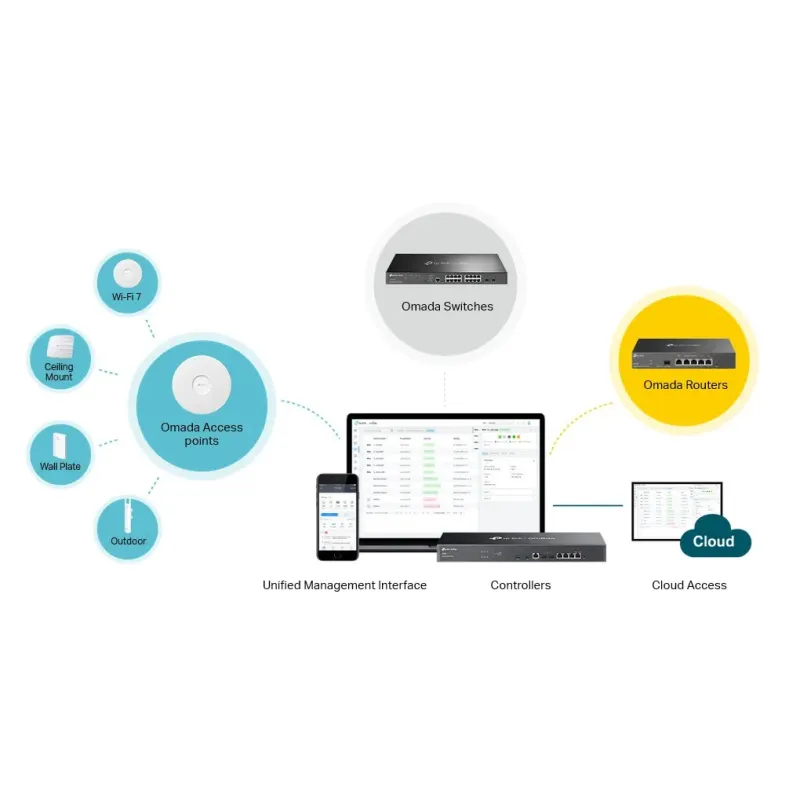
กรุณาช่วย Review สินค้า TP-Link OC400 Omada Hardware Controller อุปกรณ์ Network Controller สำหรับบริหารจัดการ Omada AP, JetStream Switches, SafeStream Routers.
Support / ติดตั้งด้วยทีมงานที่มีความชำนาญ Certificate
สอบถามข้อมูลสินค้าเพิ่มเติม
LINE ID: @sysnet โทร: 02 102 4284
close
รายละเอียด
TP-Link OC400 Datasheet
TP-Link Omada SDN Controller_V5.12_User Guide
TP-Link OC400(UN) V1_Installation Guide
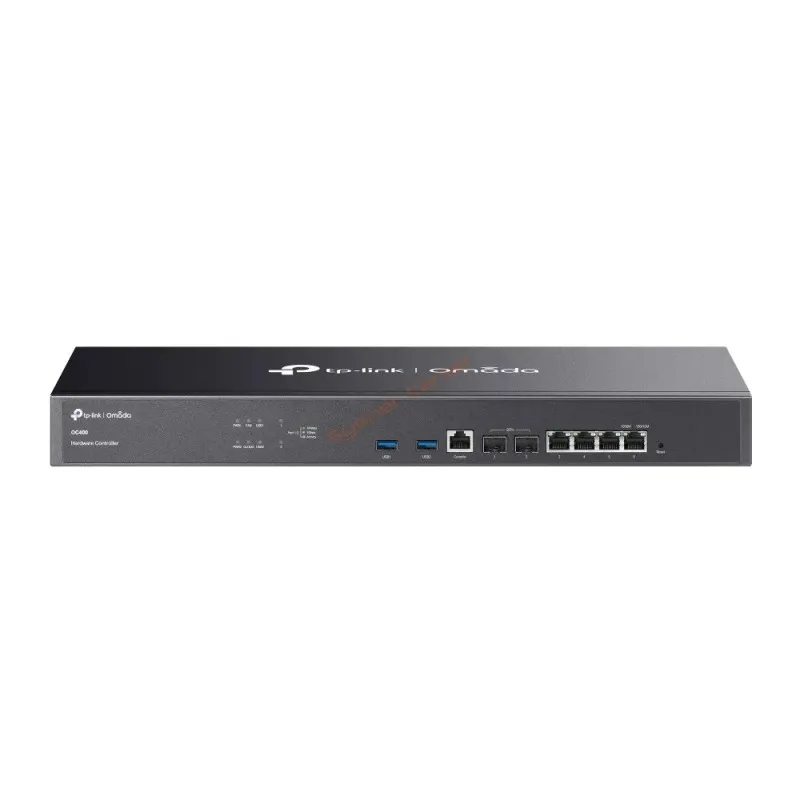
TP-Link OC400
Omada Hardware Controller
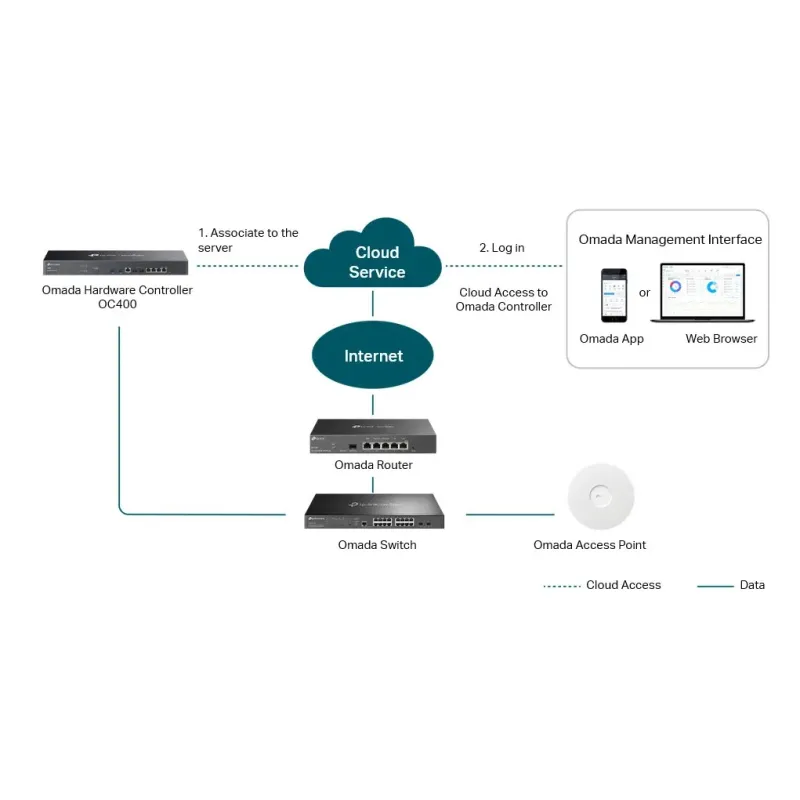
- Centralized Management: for up to 1,000 Omada access points, 200 Omada switches, and 100 Omada routers.*
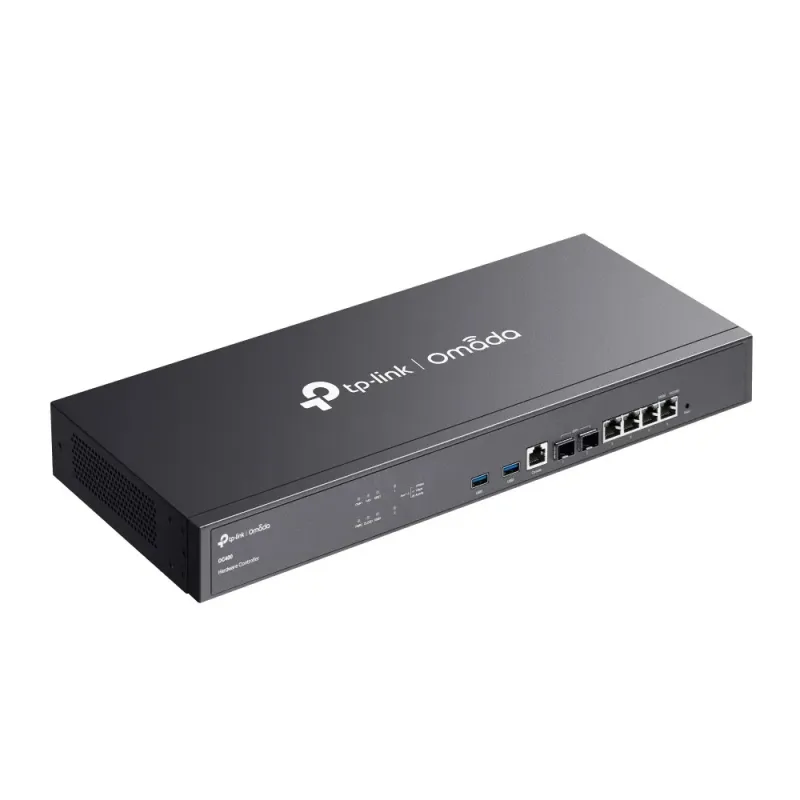
- 2× 10GE SFP+ Slots, 4× GE RJ45 Ports, and 2× USB 3.0 Ports.
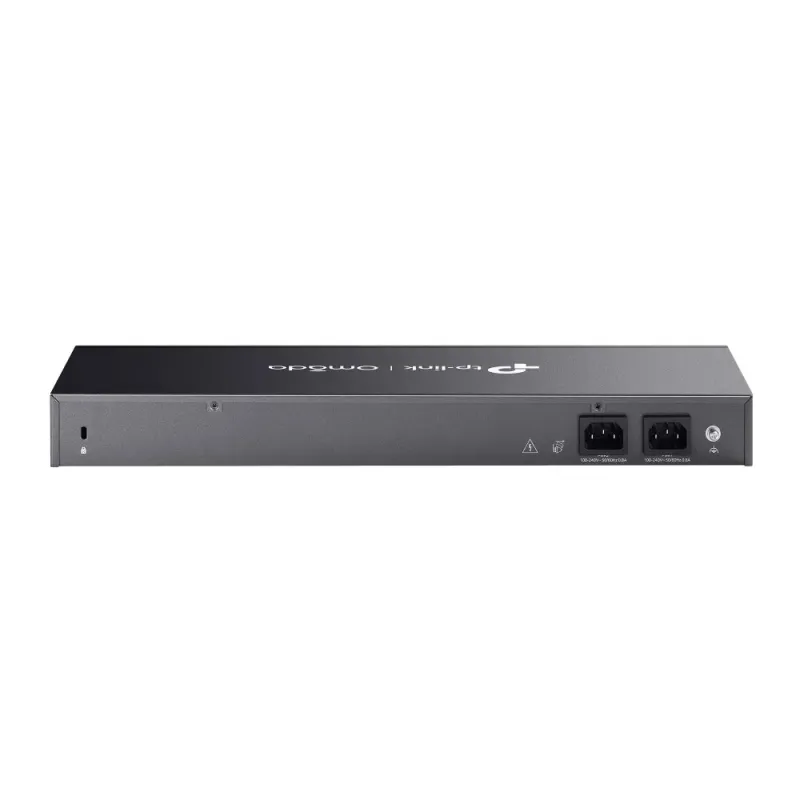
- Redundant power supplies offer a reliable networking architecture.
- Free cloud access with the Omada app or Web UI from anywhere, anytime.
- On-premises manages to locally monitor and manage devices.
- The easy-to-use dashboard and real-time network topology make network monitoring easy.
- Batch and multi-site management benefit network maintenance.
OC400 Omada Hardware Controller Product Specification | |
Overview | TP-Link OC400 Omada Hardware Controller อุปกรณ์ Network Controller สำหรับบริหารจัดการ TP-Link Omada AP, JetStream Switches, SafeStream Routers. รองรับการ Manage ผ่าน Cloud และ Mobile App พร้อม Secure guest network ผ่าน Facebook Wi-Fi, SMS login, Voucher |
HARDWARE FEATURES | |
| Processor | Quad-Core CPU |
| Memory | 4 MB Nor Flash; 32 GB eMMC; 8 GB DDR4 |
| Interface | • 2× 10G SFP+ Ports • 4× GE RJ45 Ports • 2× USB 3.0 Ports • 1× GE Console Port |
| Fan Quantity | 1 |
| Button | • 1× Reset |
| Power Supply | 100-240 V ~ 50/60 Hz AC |
| Dimensions | 17.3 × 7.1 × 1.7 in (440×180×44 mm) |
MANAGEMENT | |
| Omada App | Yes |
| Centralized Management | • Up to 1,000 Omada access points, 200 Omada switches, and 100 Omada routers* • Up to 30,000 clients |
| Cloud Access | Yes |
| Multi-site Management | Yes |
| Management Features | • Multi-tenant Management (Role/Site/Device Privileges) • Migration (Site Migration/Controller Migration) • Account Management • Backup & Restore • Auto Backup • Customized UI Interface • Automatic Device Discovery • Batch Configuration • Online upgrade • Reboot Schedule • PoE Schedule • WLAN Schedule • Batch Firmware Upgrading • DDNS • SNMP • SSH |
Redundant Power Supply | |
| Redundant Power Supply | 2× Internal Fixed Power Supplies |
| MONITORING | |
| Monitoring | • Custom Dashboard • Statistics (Performance/Switch Stats) • Network topology • Network Map • Devices List • Clients List • Insights • Logs |
OTHERS | |
| Certification | CE, FCC, RoHS |
| Package Contents | • Omada Hardware Controller OC400 • Quick Installation Guide • Ethernet Cable • Power Cord • Rackmount Kit |
| System Requirements | Microsoft® Windows®10, 8, 7,Vista™, XP or MAC® OS, NetWare®, UNIX® or Linux |
| Environment | • Operating Temperature: 0–40 ℃ (32–104 ℉) • Storage Temperature: -40–70 ℃ (-40–158 ℉) • Operating Humidity: 10–90% RH non-condensing • Storage Humidity: 5–90% RH non-condensing |
รับประกัน | Limited lifetime |

คะแนน
กรุณาช่วย Review สินค้า
ความคิดเห็น (0)
คะแนน