Line: @sysnet
  • Payment

RSS Feed

การนำทางบล็อก

โพสต์ล่าสุด

Solution การ Backup ข้อมูลด้วย NAS พร้อมตัวอย่างการใช้งานจริง
13 มุมมอง 0 ชอบ

Solution การ Backup ข้อมูลด้วย NAS พร้อมตัวอย่างการใช้งานจริง, แนวทางการใช้ NAS เพื่อจัดเก็บและสำรองข้อมูลในองค์กร...

อ่านเพิ่มเติม

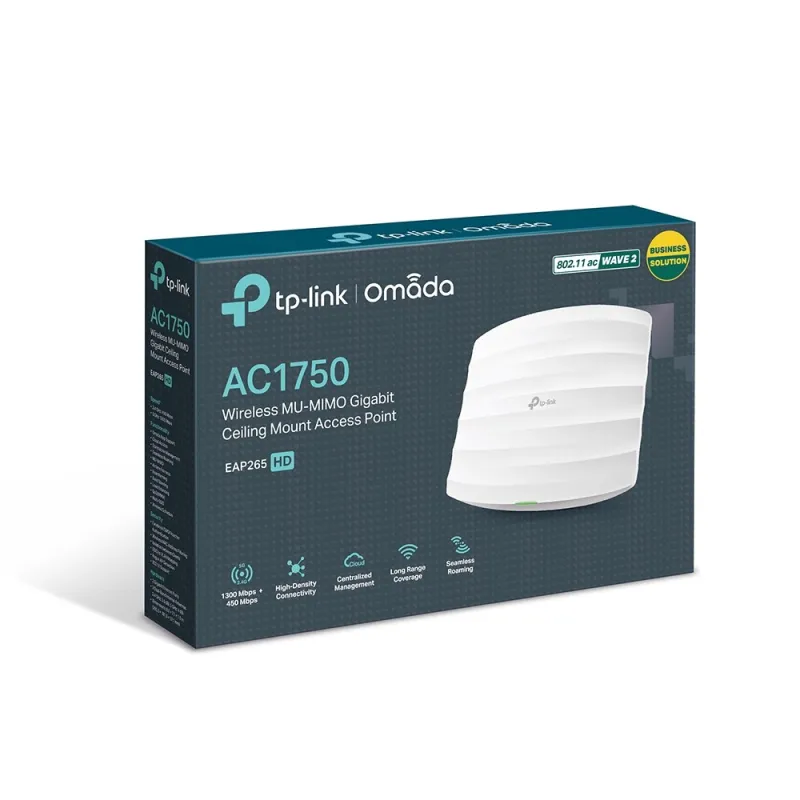
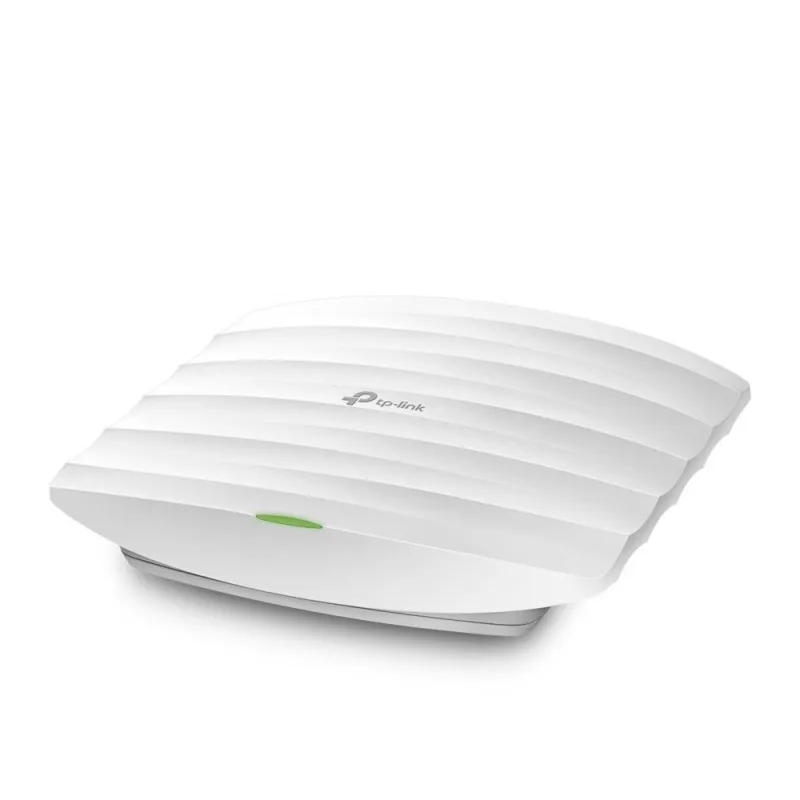
    EAP265 HD TP-LINK AC1750 Wireless MU-MIMO Gigabit Ceiling Mount Access Point

    EAP265-HD
    TP-Link

    EAP265 HD 

    TP-LINK EAP265 HD Wireless Access Point Dual-Radio มาตรฐาน AC 1750Mbps เสาภายใน 4dBi กระจายรอบทิศทาง รองรับ EAP Controller Software

    ฿3,520.00
    ยังไม่ได้รวมภาษี
    จำนวน
    3 รายการ


    สินค้างาน Project สำหรับ SI, ผู้รับเหมา สอบถามราคาส่วนลดพิเศษได้เลยครับ


    Support / ติดตั้งด้วยทีมงานที่มีความชำนาญ
    Certificate


    สอบถามข้อมูลสินค้าเพิ่มเติม

    LINE ID: @sysnet  โทร: 02 102 4284

    Click ต้องการใบเสนอราคา

    close

    แบบฟอร์มขอใบเสนอราคา


    สเปกสินค้า (Quick Spec)
    EAP265-HD

    สเปกสินค้า (Quick Spec)

    มาตรฐาน WiFi (WiFi Standard)
    WiFi 5 (802.11ac)
    ความเร็วไร้สายสูงสุด (Max Wireless Speed)
    AC1750 (Up to 1.75Gbps)
    ประสิทธิภาพเสาอากาศ (MIMO)
    3x3 MIMO
    จำนวนผู้ใช้งานที่แนะนำ (Recommended Users)
    50 Devices
    พื้นที่ครอบคลุม (Coverage Area)
    100 sqm
    ย่านความถี่ (Frequency)
    Dual-band 2.4 / 5 GHz
    การบริหารจัดการ (Management)
    Controller / Standalone
    พอร์ต LAN (Ethernet Port)
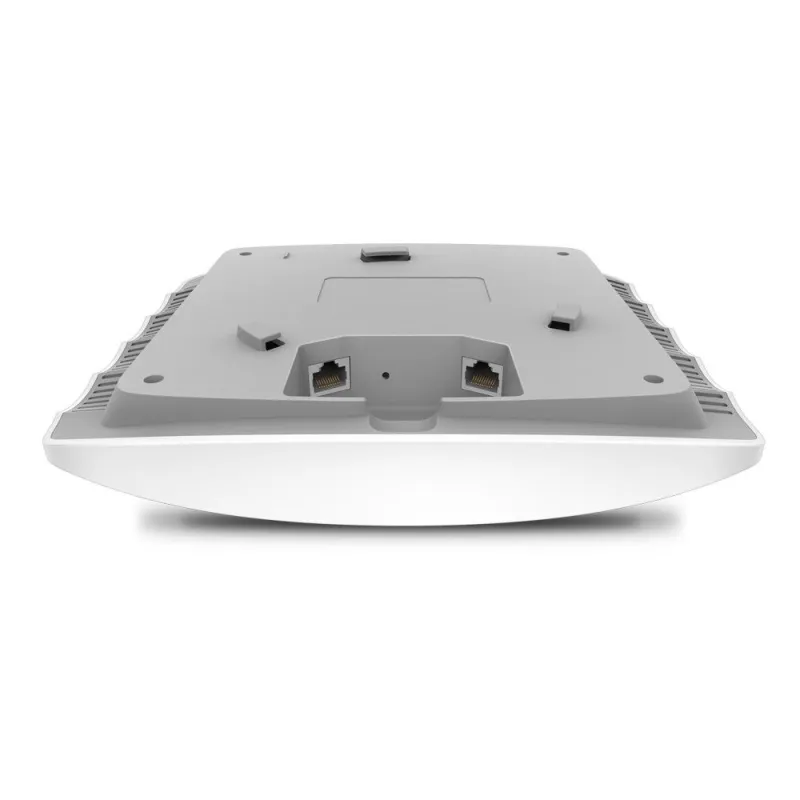
    2x Gigabit Ethernet
    การติดตั้ง (Installation)
    ภายในอาคาร Indoor Ceiling/Wall
    การรับประกัน (Warranty)
    รับประกันศูนย์ประเทศไทย Life Time

    เอกสารอ้างอิงเฉพาะ

    MPN
    EAP265-HD
    รายละเอียด

    TP-Link EAP Datasheet
    TP-Link EAP Controller User Guide

    คู่มือการ Config TP-Link Omada Series

    คู่มือการ Config TP-Link Access Point

    TP-Link EAP265 HD

    AC1750 Wireless MU-MIMO Gigabit Ceiling Mount Access Point

    • Fast Dual-Band Wi-Fi: Simultaneous 450 Mbps on 2.4 GHz and 1300 Mbps on 5 GHz totals 1750 Mbps Wi-Fi speeds.
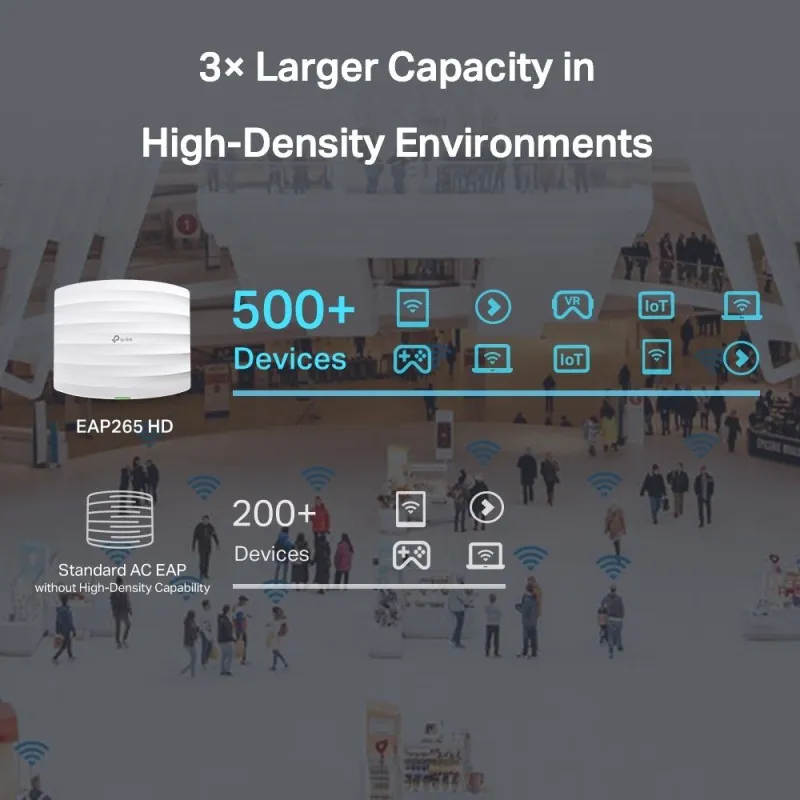
    • High-Density Connectivity: MU-MIMO, Load Balance, and professional antennas improve capacity in high-density environments to connect more devices simultaneously.
    • Integrated into Omada SDN: Supports Zero-Touch Provisioning (ZTP), Centralized Cloud Management, and Intelligent Monitoring.
    • Centralized Management: Cloud access and Omada app for ultra convenience and easy management.
    • Seamless Roaming: Even video streams and voice calls are unaffected as users move between locations.§
    • PoE Support: Supports both standard 802.3af/at and Passive PoE (PoE adapter included) for flexible installations.
    • Secure Guest Network: Along with multiple authentication options (SMS/Facebook Wi-Fi/ Voucher, etc.) and abundant wireless security technologies.


    Product Specification

    Overview

    TP-LINK EAP265 HD Wireless Access Point Dual-Radio กระจายสัญญาณ 2 ย่านความถี่ 2.4/5GHz มาตรฐาน AC ความเร็วสูงสุดรวม 1750Mbps เสาภายใน 4dBi กระจายสัญญาณรอบทิศทาง

    รองรับ EAP Software Controller, Captive portal รองรับ POE มาตรฐาน 802.3at

    HARDWARE FEATURES

    Interface

    2 × Gigabit Ethernet (RJ-45) Port (One port supports IEEE802.3af/at PoE and Passive PoE)

    Physical Security Lock

    Yes

    Button

    Reset

    Power Supply

    802.3af/at PoE
    48V Passive PoE (+4,5pins; -7,8pins. PoE Adapter Included)

    Power Consumption

    12.3 W

    Dimensions ( W x D x H )

    8.1 × 7.1 × 1.5 in (205.5 × 181.5 × 37.1 mm)

    Antenna Type

    Internal Omni
    2.4 GHz: 3× 3.5 dBi
    5 GHz: 3× 4 dBi

    Mounting

    Ceiling /Wall Mounting (Kits included)

    WIRELESS FEATURES

    Wireless Standards

    IEEE 802.11ac/n/g/b/a

    Frequency

    2.4GHz and 5GHz

    Signal Rate

    5 GHz: Up to 1300 Mbps
    2.4 GHz: Up to 450 Mbps

    Wireless Functions

    Multiple SSIDs (Up to 16 SSIDs, 8 for each band)
    Enable/Disable Wireless Radio
    Automatic Channel Assignment
    Transmit Power Control (Adjust Transmit Power on dBm)
    QoS(WMM)
    MU-MIMO
    Seamless Roaming
    Band Steering
    Load Balance
    Airtime Fairness
    Beamforming
    Rate Limit
    Reboot Schedule
    Wireless Schedule
    Wireless Statistics based on SSID/AP/Client

    Wireless Security

    Captive Portal Authentication
    Access Control
    Wireless Mac Address Filtering
    Wireless Isolation Between Clients
    SSID to VLAN Mapping
    Rogue AP Detection
    802.1X Support
    64/128/152-bit WEP / WPA / WPA2-Enterprise, WPA-PSK / WPA2-PSK

    Transmission Power

    CE:
    ≤20 dBm (2.4 GHz)
    ≤23 dBm (5 GHz)

    FCC:
    ≤24 dBm (2.4 GHz)
    ≤24 dBm (5 GHz)

    MANAGEMENT

    Omada App

    Yes

    Centralized Management

    Omada Cloud-Based Controller
    Omada Hardware Controller (OC300)
    Omada Hardware Controller (OC200)
    Omada Software Controller

    Cloud Access

    Yes (Through OC300, OC200, Omada Cloud-Based Controller, or Omada Software Controller)

    Email Alerts

    Yes

    LED ON/OFF Control

    Yes

    Management MAC Access Control

    Yes

    SNMP

    v1, v2c

    System Logging Local/Remote Syslog

    Local/Remote Syslog

    SSH

    Yes

    Web-based Management

    HTTP/HTTPS

    L3 Management

    Yes

    Multi-site Management

    Yes

    Management VLAN

    Yes

    OTHERS

    Certification

    CE, FCC, RoHS

    Package Contents

    AC1750 Wireless MU-MIMO Gigabit Ceiling Mount Access Point EAP265 HD
    Gigabit Passive PoE Adapter
    Power Cord
    Mounting Kits
    Installation Guide

    System Requirements

    Microsoft Windows XP, Vista, Windows 7, Windows 8, Windows10, Linux

    Environment

    Operating Temperature: 0–40 ℃ (32–104 ℉)
    Storage Temperature: -40–70 ℃ (-40–158 ℉)
    Operating Humidity: 10–90% RH non-condensing
    Storage Humidity: 5–90% RH non-condensing

    รับประกัน

    Limited lifetime


    ความคิดเห็น (0)
    คะแนน

    Follow us on Facebook